
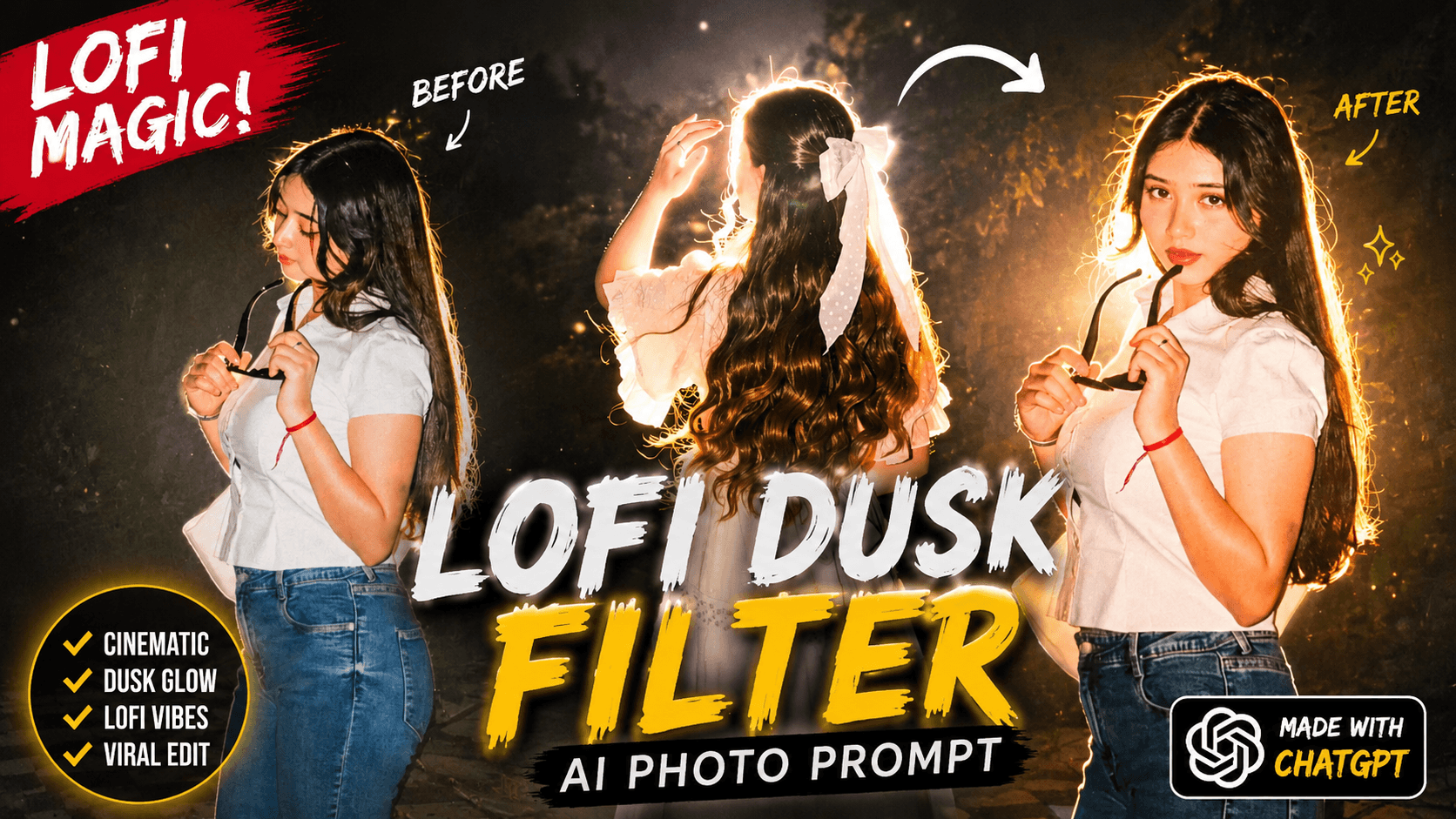
Instagram Viral Lofi Dusk Filter AI Photo Editing –Instagram has become incredibly popular for sharing cinematic photos, a trend embraced by many top influencers. You can create these stunning images not only through Instagram’s built-in AI photo editing tools but also by using advanced AI apps like Google Gemini or ChatGPT-based editors. Posting these cinematic photos on platforms like Instagram and Facebook often leads to millions of views. In this article, I will guide you step-by-step on how to generate and edit cinematic photos using Instagram’s AI features. Follow the editing instructions carefully to create eye-catching, trending photos that stand out.
Instagram Viral Lofi Dusk Filter AI Photo Editing
If you use Instagram, you probably know that Instagram has a restyle option that can be used to edit photos. There are many filters to edit photos. But a lofi dusk filter is currently going viral which helps in creating cinematic photos. Creating a photo with Instagram often results in a perfect image due to its built-in editing tools and filters. However, using an AI app to generate photos can be challenging for face matching, as it requires a precise prompt detailing every aspect of the photo. If you want to achieve accurate face matching with AI-generated images, having a well-crafted prompt is essential. This article provides such a prompt that you can simply copy and use. The photo in question has gone viral because it features a cinematic night look with glowing backlight, which enhances its visual appeal and shares well on social media.
How To Use Instagram Viral Lofi Dusk Filter ?
There are many creators who don’t know that you can edit photos on Instagram. Yes, friends, since the update of Instagram, they have added the restyle option, using which you can edit photos and it is edited in a very short time. There are filters on Instagram that you can use to convert your normal photo into a high quality or unique style photo. Now everyone wants to generate photos in a very short time to go viral and this can be a best way. Because you can generate a viral photo using a restyle option on Instagram. Now let’s tell you how you can create a photo using Instagram. Open Instagram, click on the plus option, you will see the story bottom, click there. And upload your favorite photo, then you will see the restyle bottom there, click on that, then wait for a while, the photo is ready. Now to download, the download bottom will show on the side, click on that.
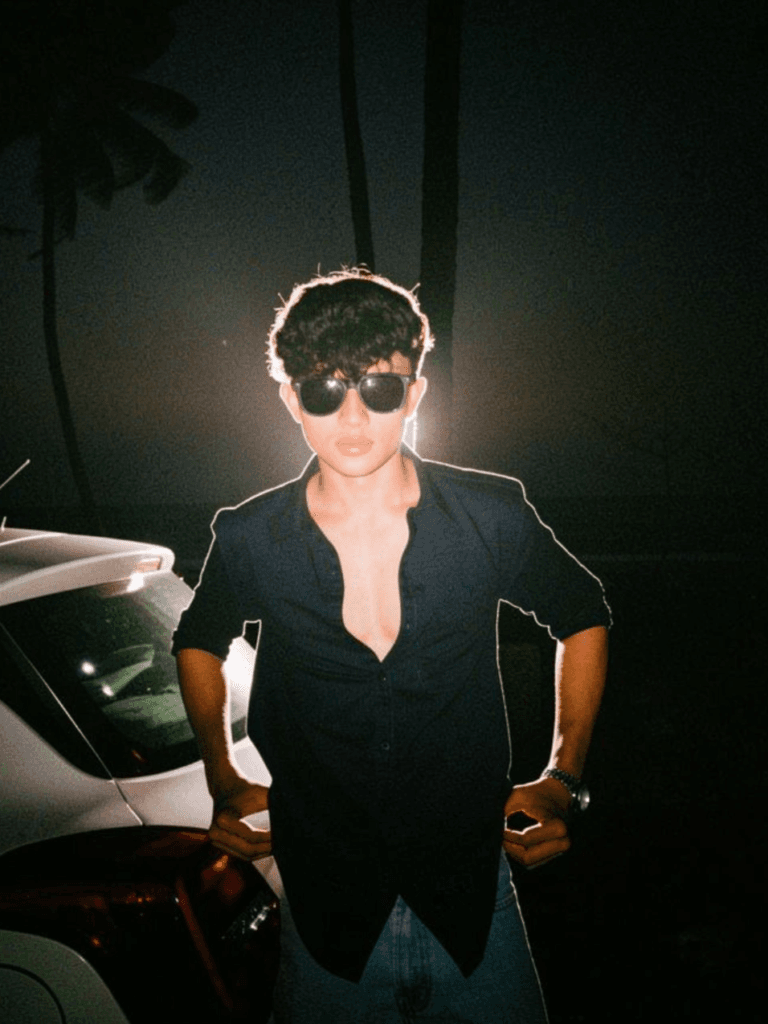
Keep the original photo exactly the
same — no face change, no pose
change, no body modification, no
background replacement. Preserve
the original identity, hairstyle,
facial features, skin texture, outfit, framing, camera angle, and overall composition perfectly.

Only apply an intense cinematic
night-flash glow effect inspired
by luxury editorial photography.
Make the existing background
darker with deep muted cinematic shadows while keeping the original background fully visible and realistic. Add a very strong rear flash lighting effect from behind the subject, creating a bold bright warm-white halo rim light around the hair, shoulders, arms, jacket edges, neck, and face outline exactly like a powerful DSLR flash shot at night.

Increase the glow intensity
significantly with strong
white flash bloom, visible
light spill, glowing hair
edges, glossy skin reflections, and soft overexposed highlights around the subject. Keep the flash color natural warm white with slightly cool white highlights — no colored neon glow.

Add cinematic direct front
flash lighting combined
with intense backlight for a premium luxury editorial look. Enhance skin with glossy highlights, soft peach undertones, subtle facial shine, realistic shadows, ultra-detailed texture, and sharp realistic contrast. Add fine film grain, tiny glow reflections, realistic haze, soft lens bloom, and premium DSLR night-photography aesthetics.

Hair strands should
naturally catch the
flash with detailed glowing separation. The subject should stand out dramatically from the darker background with a realistic high-end Instagram aesthetic. Maintain ultra-realistic sharpness and natural texture without making the image look fake, plastic, or overedited.

Style reference: dramatic
cinematic night portrait,
ultra-bright flash glow, strong halo rim lighting, luxury editorial photography, moody dark tones, realistic DSLR direct flash effect, premium Instagram aesthetic, ultra-detailed cinematic night photography.
Create Your Image
How To Use Instagram Viral Lofi Dusk Filter Ai Photo Prompt?
These photos are trending so much that when I scroll through Instagram, I can only see these photos. And I see 1000+ likes on everyone’s photos. This is a good time to create and post photos. I am telling you how to create these photos with chat gpt. First of all, you have to copy the prompt given above. Then you have to open the chat gpt app or website. To create a photo, click on plus and upload the photo. Paste the prompt and click on send bottom. Now wait for some time, then your photo will be created, open the photo and download it. In this way, you can create cinematic photos.
How To Viral Instagram Video?
There are many Instagram users who post videos regularly for a long time but they do not reach one or two likes and 100,200 views on their profile. I want to tell them that just posting on Instagram is not enough, you have to apply some time setting and setting. There are many trends on Instagram, editing, songs, templates, you have to follow all these trends and create them and post them on your ID. Along with this, you can use some viral hashtags like #trending #viral #explorepage And try to post videos between 6-8 pm because everyone is free on this Monday.
Conclusion
If you want you can make a photo like this. In both ways very fast photos will be generated. I will not have any difficulty while creating photos. If you do it on Instagram, the photo quality will decrease, if you do it with chat gpt, the quality will increase. And somewhere I have another channel called ishan tech zone, if you want you can check that website. Today’s article is so much that I will be able to help you, stay well and stay healthy.
Stunning quest there. What occurred after? Take care!
обеспечение охраны объектов [url=https://физическая-охрана-объектов.рф]обеспечение охраны объектов[/url] .