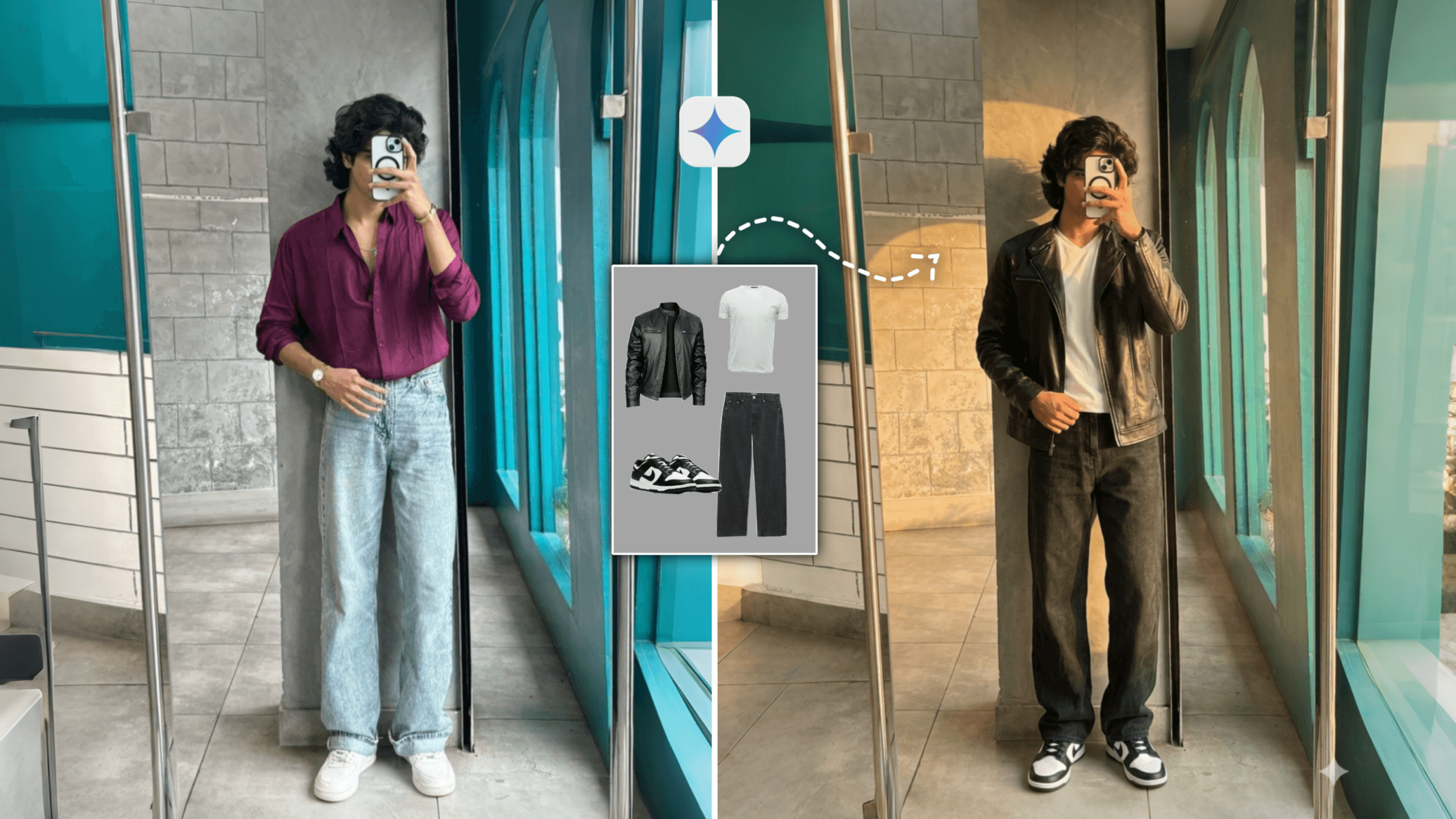
Ai Clothes Changer Google Gemini Prompt-Many times you buy clothes online for yourself and after the clothes arrive, you don’t like them anymore. Then you return it. You can also do this, before ordering something online, you can try it on and see how it will look after wearing it. For today’s article, you can wear clothes without buying them. You can make these clothes for both boys and girls. For girls, you will have to use mom’s clothes as a reference. And for boys, you will have to use boys’ clothes. You are probably wondering how is this possible?
Yes, friends, this is also possible, now in the time of AI, you can wear any clothes with AI. In today’s article, I will show you how you can easily change the dress of your photo using Gemini AI. I will show you the whole process step-by-step, you will also change the dress of your photo by following the steps.
Ai Clothes Changer Google Gemini Prompt
You no longer have to go anywhere to shoot photos, everything is done with the help of AI. With AI you can change the background. If your dress is not good after changing the background. And you have to change the dress, then you can use this trick. Today in this article I will talk about an AI tool that you can use to change the dress just in one click. If you want, you can do it unlimitedly, you have to download the photo of the clothes from online and import it to AI tools, then the clothes in your photo will be changed. This post will probably help you a lot because you can see how it looks before buying clothes. And you can also do that you download any photo of the clothes and wear that clothes with the help of AI and post it on your Instagram or Facebook.
If you post it, no one will know whether it is fake or real. In this article, I will give you a prompt, using which you will create your photo. This tutorial will be very helpful for you. So without further ado, let’s get started with today’s article.
How To Use Clothes Changer Google Gemini Prompt ?
Friends, you can create this photo cloth change that I am talking about from any AI website. But not all AI websites are perfect and free. I will tell you 2 websites or apps with the help of which you can change photo cloth. The editing steps of these 2 apps are almost the same, you will understand if you see the editing steps.
GOOGLE GEMINI:- To generate your photo, the very first step is to download some images of the clothes you want to use. Next, copy the prompt you see listed below. Then, open the Gemini app. First, upload the photo of yourself (the “model”); then, upload the photo of the clothes; and finally, paste the prompt. Then, simply click the “Send” button. After a short while, you will see that your generated photo is ready. Open the image and download it to your device.
CHAT GPT:- If you create with chat gpt you will get better photos than google gemini. After opening chat gpt there is a create image option there click on that and open it. Now you have to upload your photo and the photo of the clothes you want to put and paste the prompt which is the same prompt that you use in google gemini. If you write before the promo and use Refrence Image then chat gpt will make you a photo like 100 original face. After pasting the promo you have to click on send bottom.
How To Download Unlimited Clothes?
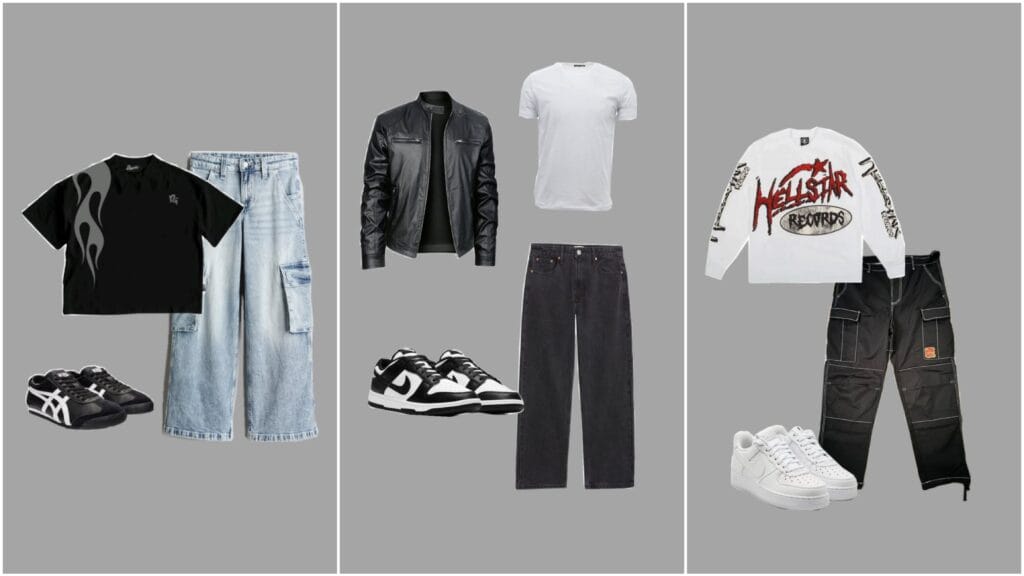
There are many creators who will only give you a link to Google Drive, there will be some photos of clothes there, but you will not get the photos of clothes that you like, so I am saying that if you want to get unlimited, follow this, see if you see the steps I have given, you will get the photos of clothes as you wish. Once you see my article, you will not need to read other articles because I always post helpful content.
If you are looking to virtually try on clothes found online—with the intention of purchasing them later—simply download the product photos directly from the website or app where you plan to make the purchase. Now, let me tell you how you can find an unlimited variety of clothing photos to upload. You can open apps like Flipkart or Meesho to download images of clothes. Alternatively, if you are looking for content to share on social media, open the Pinterest app and search for terms like “Men’s Outfits” or “Women’s Outfits”; this will provide you with an endless selection of clothing photos that you can then download and use.
Conclusion
If you are not making money, then wear clothes with such ideas and post them on social media, everyone will say that you are good at wearing such stylish clothes. For girls, you can wear saree, kurta, all these by following these easy steps. With just a few simple steps, you can effortlessly change the clothes in any photograph. If you create and post AI generated photos like this, everyone will be asking where you find such beautiful outfits—and you can share this secret trick with them! I hope you have understood how to use AI to change the clothing in your photos. If you enjoyed today’s article, please leave a comment and share it with your friends.
Hey friends I am ishan biswas, ami ishan prompt er founder. I post all types of articles like Capcut Template,Ai Photo Prompt, Lightroom photo editing,Vn Template on this website. I try to always post high quality type articles. After seeing the articles I have given you can post them on your social media. Keep visiting my website to see such trading trading articles.